
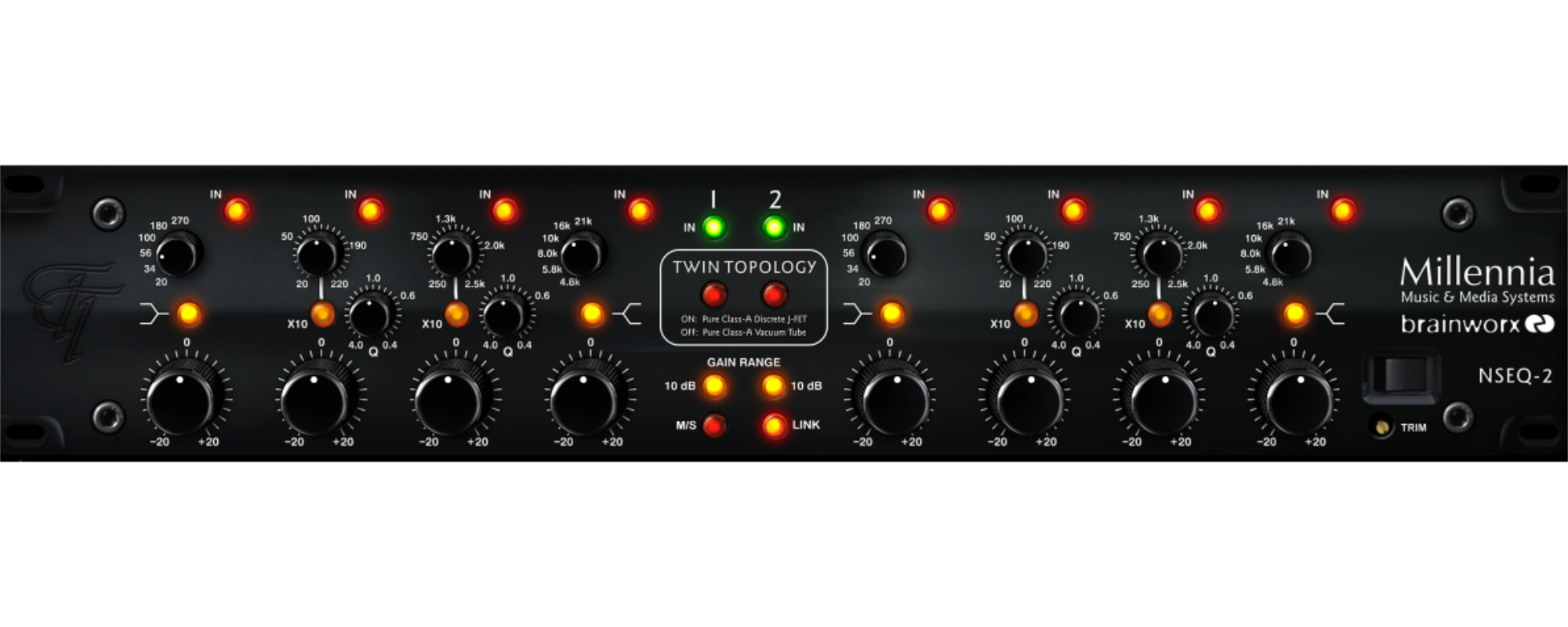
Ultimate clarity with the Milennia NSEQ-2
The Milennia NSEQ-2 is high-end hardware EQ famous for it’s sound and clarity. Luckily for us, there is also a cheap digital version. Okay, perhaps the digital version can’t measure up to the real deal, but that doesn’t mean it isn’t extremely powerful as well!
When I first used the NSEQ-2, I had trouble hearing it’s effects. Not that it wasn’t doing anything, but it was so transparant and musical that I couldn’t put my finger on what it was doing and why my sound became so much more open and clear.
Exactly that is the power of the Milennia NSEQ-2, adding clarity and power to the entire frequency range.
How to get that clarity? I’ll show you!
At first glance there are quite a few knobs, but don’t worry it’s actually quite simple.
In linked mode, the default setting, the left and right section of the plugin are mirrored and you only need to control the left side.
Horizontally there are 4 colums of knobs, corresponding to 4 bands. Vertically, there is a frequency selection knob, Q setting (width of the frequency band) and a gain knob. The x10 button multiples the frequency selection by 10. E.g. 100 Hz becomes 1khz.
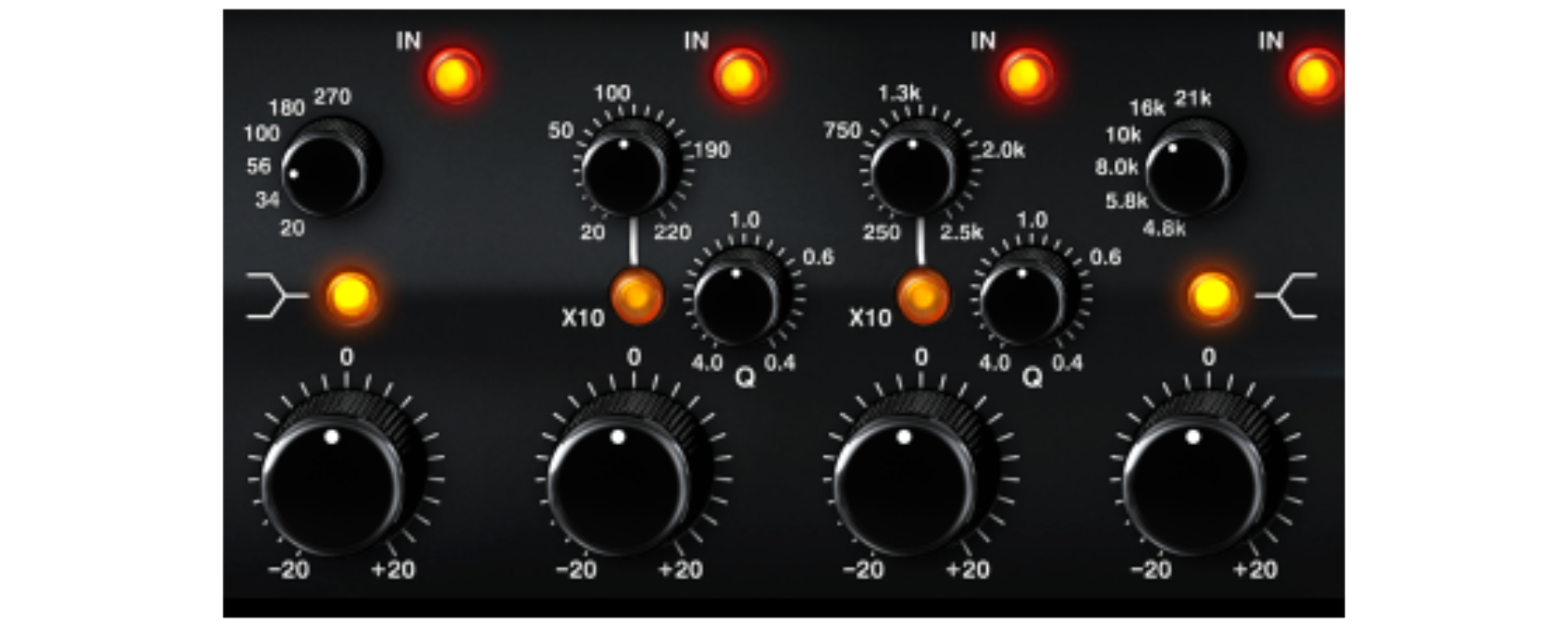
put the gain up a bit and sweep around the frequency spectrum to get a feel for where the EQ sounds best. Then, dial back the gain a bit and toggle the EQ on and off. Closely listen to the transparancy the Milennia NSEQ-2 provides.
Personally, I like to add a bit of gain around 2 kHz to 2.5 kHz to add a pleasant presence boost to a piano recording. This setting can also work wonders on vocals!
There’s a lot more to the plugin, like m/s mode and the renowned twin topology but that’s for another time. Looking forward to that? Let me know in Instagram @MTwo.Studios!