
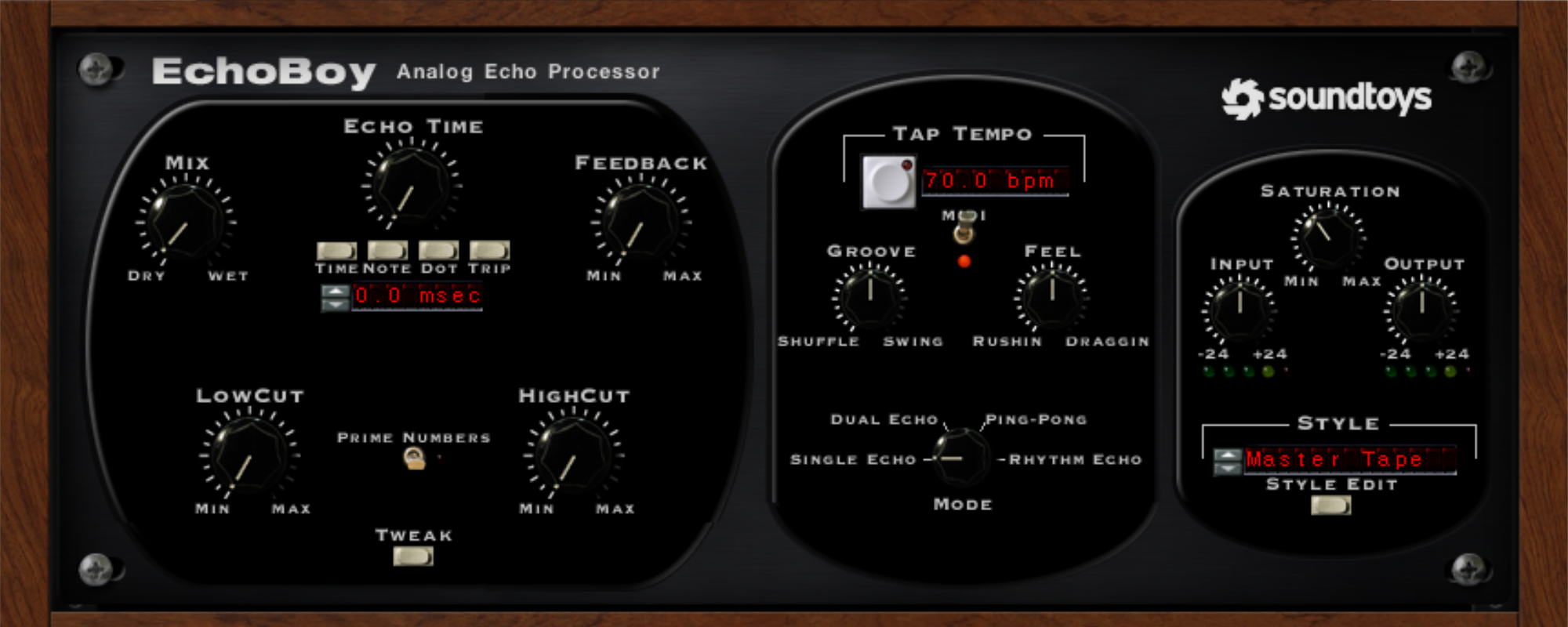
Add character with Sountoys EchoBoy
The plugins by Sountoys offer incredible flexibility, even in ways you wouldn’t expect. In this article I’ll show you how to use EchoBoy to add character to a master by applying EchoBoy in an unconvential way.
EchoBoy is, as the name suggests, a delay plugin. Normally, delay on a master isn’t a tool you’d reach for. But by applying psychoacoustics to our advantage and setting the Echo time/delay time to very low settings, it suddenly becomes a great mastering tool.
There’s a bit of a grey zone between what we’d identify as reverb and when it becomes delay or reflections. Broadly speaking, everything under 10 milliseconds our brain perceives as a single sound. Or in our case, our master track.
By delaying our original signal with far less than 10 milliseconds and applying a style with EchoBoy, we can shift the character of the entire song!
How is it done?
- Place the EchoBoy plugin on the master channel
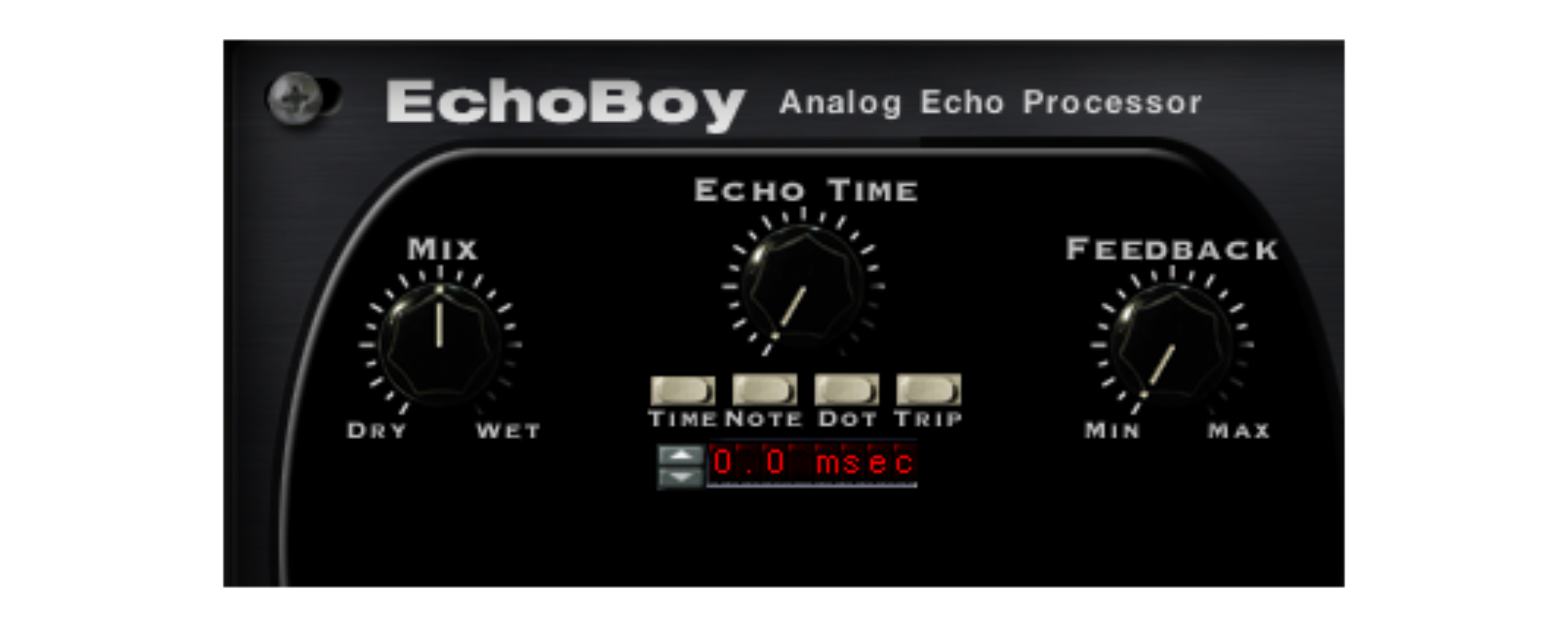
- Set Echo Time to ‘Time’
- Dial the Echo Time between 0.0 and 10 msec
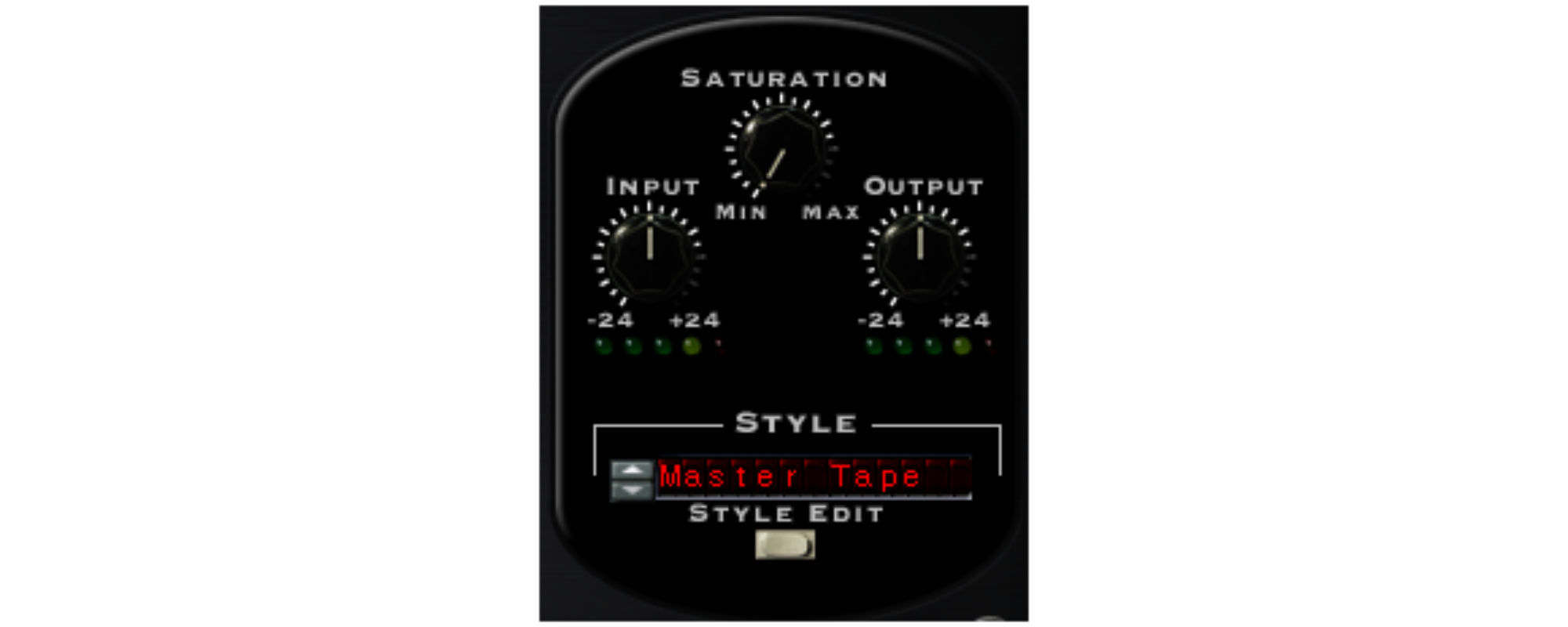
To get the character, play around with the Style options and Saturation amount.
As an engineer, my preference goes to subtle options like the Master Tape style. Play around to find your sound.
Lastly, dial in the Mix amount, preferably between 1 and 5 percent for a master, potentially higher for a bus channel.
The result can be very subtle, but for mastering that is the name of the game. Multiple small tweaks that push a song in the right direction. If a mix is lacking, this technique can be applied with a stronger effect to liven it up. Play around and find your favourite settings!